SSL/TLS Certificate, ACME, and Certbot
This article explains SSL/TLS certificates, the ACME protocol, and Certbot, focusing on how they interact and depend on each other.
1. SSL/TLS Certificates
An SSL/TLS certificate acts as a digital passport for your website. It cryptographically proves that the server a user is connected to is the legitimate owner of the domain they intended to visit.
When a browser connects to a server via HTTPS, it verifies the server's certificate. If the certificate is valid and issued by a trusted Certificate Authority (CA), the browser confirms that the server is authentic ✅, otherwise you will see a ⚠ warning or the browser even doesn't allow the connection. This prevents man-in-the-middle (MITM) attacks, where an attacker might impersonate your website to intercept sensitive user data.
💡 Operational Tip: Always monitor certificate expiration dates and automate renewals. Modern CAs issue certificates with a maximum lifetime of 90 days, making automation essential.
2. TLS Handshake
When a browser establishes a secure connection, the following happens within milliseconds:
Client Hello: The browser contacts the server and tells it which encryption standards (cipher suites) it supports.
Server Hello & Certificate: The server responds and sends its SSL certificate. This certificate contains the server’s public key.
Validation:
The browser verifies the certificate’s digital signature. It checks whether a trusted authority (Certificate Authority, for example Let's Encrypt) signed it and whether the domain name in the certificate matches the requested address.
Key Exchange: Once the server’s identity is confirmed, a symmetric session key is generated. This key is then used to encrypt all data exchanged during the session.
3. ACME Protocol
The Automated Certificate Management Environment (ACME) is a protocol that enables automated issuance and renewal of SSL/TLS certificates. It's a system that allows a Certificate Authority (CA) like Let's Encrypt to verify that you control a domain name, and then issue a certificate for it.
The ACME Workflow:
-
Account Creation: The client generates a new key pair and registers an account with the CA.
-
Order Placement: The client tells the CA, "I want a certificate for example.com."
-
Challenges: The CA issues one or more "challenges" to prove you actually control that domain.
-
Verification: The client fulfills the challenge, and the CA checks the result.
-
Issuance: Once verified, the client sends a Certificate Signing Request (CSR), and the CA sends back the signed certificate.
Client (Certbot)                CA (Lets's Encrypt)
   |                                     |
   |  ----- Register Account    ----->   |
   |  ----- Request Certificate ----->   |
   |  <---- Challenge Issued    ----->   |
   |  ----- Solve Challenge     ----->   |
   |  <---- Certificate Issued  ----->   |
3.1 Challenges (Domain Validation)
To verify domain ownership, Let's Encrypt uses challenges. The two most common are HTTP-01 and DNS-01.
HTTP-01:
Requires placing a specific file on the web server. This is the most common method but does not support wildcard certificates.
➡️ How it works:
Certbot places a specific file on your web server (/.well-known/acme-challenge/). Let's Encrypt then accesses that file via HTTP to verify your domain.
➡️ Requirements: Your web server must be accessible on port 80.
➡️ Limitations: You cannot issue wildcard certificates with this method.
DNS-01:
Involves adding a TXT record to the domain's DNS settings. This method is necessary for obtaining wildcard certificates.
➡️ How it works:
Certbot instructs you to create a specific DNS TXT record. Let's Encrypt then queries the DNS for this record to verify your domain. This is usually done through a API Token which enables communication between Certbot and your Domain Provider.
➡️ Advantages:
You can issue wildcard certificates (e.g., *.example.com).
Your web server does not need to be accessible from the internet.
➡️ Limitations: Can be more difficult to automate, unless your DNS provider has an API that Certbot can use.
4 Certbot
Certbot is a open-source tool that makes securing websites with HTTPS simple. It's using ACME to obtain a SSL-Certificate from a Certificate Authority like Let's Encrypt.
Some platforms, such as Nginx Proxy Manager (NPM), integrate Certbot directly. For example, when adding a new “Proxy Host” in NPM and clicking Request a new SSL Certificate, Certbot runs automatically in the background.
➡️ Workflow: When you add a new "Proxy Host" in NPM and click "Request a new SSL Certificate," NPM runs Certbot commands in the background for you.
4.1 Certificate request using NPM (Certbot)
Requesting a new certificate with NPM (in my case, running as a Docker container) is straightforward. The most interesting part is the command that actually runs inside the container. Let’s take a closer look.
First, I connect to my Docker host via SSH and then stream the logs from my specific NPM container:
➡️ Next, we can request a new certificate through the NPM GUI:
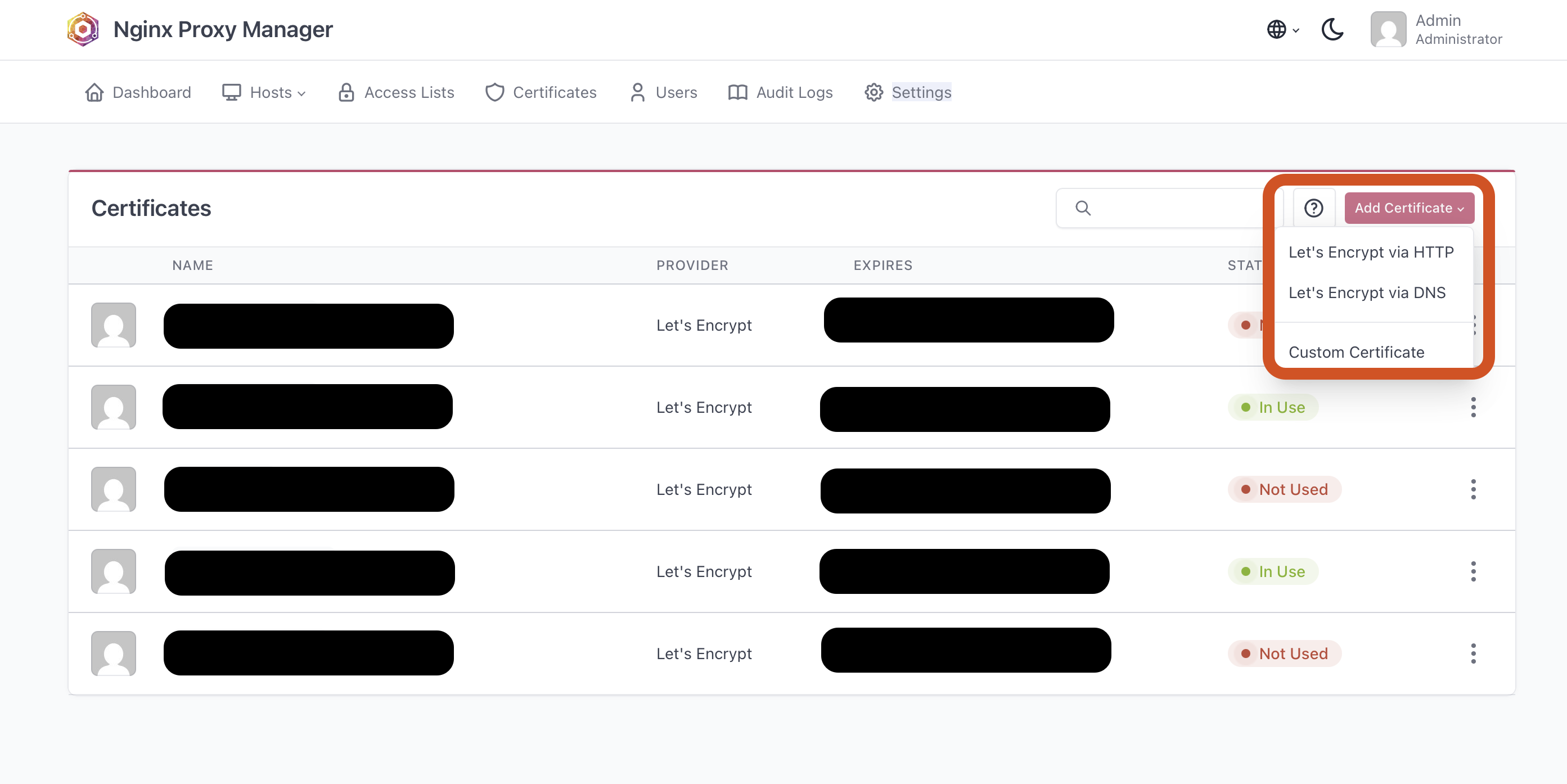
➡️ Here’s what the Docker logs show during the process:
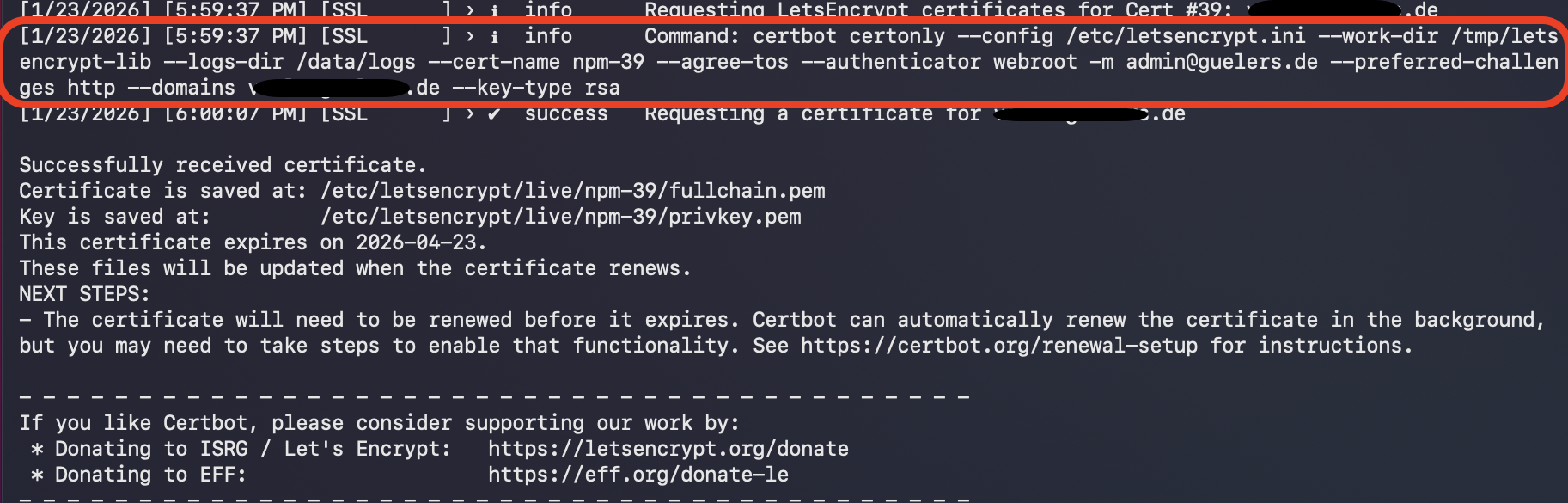
As you can see the necessary Cerbot command is successfully executed:
...
certbot certonly --config /etc/letsencrypt.ini --work-dir /tmp/letsencrypt-lib --logs-dir /data/logs --cert-name npm-39 --agree-tos --authenticator webroot -m admin@guelers.de --preferred-challenges http --domains <domainname>.de --key-type rsa
...
5. References
https://github.com/certbot/certbot
Cheers!